VESA, Video Electronics Standards Association produces a standard for mounting your brand new LCD, LED or flat panel television or monitor to an ergonomic mounting bracket for your view pleasure. Ensuring that most TV manufacturers provide the same approved mounting standard means that you can choose a mounting bracket supplier with confidence.
The Standard
VESA’s current standard is the FDMI, Flat Display Mounting Interface, also known as the MIS standard, Mounting Interface standard as described by VESA. When looking for a mounting bracket your first consideration is ensuring that the company is providing a mounting bracket that conforms to these standards, as over 300 tech companies support this standard and it is the most recognized standard in the world for mounting your new TV or monitor.
Purchasing a bracket that meets this standard will most likely mean that you can rest at ease knowing when you mount your TV that will function as intended without damage to your TV, the mounting surface or the bracket you have purchased.
The standard mounting bracket generally uses a four bolt pattern with a standard distance between the bolt holes vertically and horizontally. As TV’s and monitors have grown in size various variants to the original standard have developed, so you will need to check which variant or VESA size your own TV falls under. Since it is an international standard its measurements are in millimeters.
VESA Variants
There are currently three variants of the VESA standard that are most commonly used by manufacturers. Your TV most likely will fall within one of the three variants listed below. The VESA standard also denotes a maximum weight within each variant in addition to bolt hole pattern, both of which need to be matched. How to choose the right variant for your display device will be discussed in more detail below.
VESA MIS-D, 100/75, C- this is a variant that applies to most small TV’s and computer monitors with a bolt hole pattern of 100 x 100 mm or 75 x 75 mm and using M4 screws. This variant is capable of holding up to 14 kg or 30 lbs.
VESA MIS-E, C – is the mid-size category and is used for TV’s and other display devices that weigh less than 23 kg or 50 lbs. The bolt hole pattern is 200 x 100 mm and also uses M4 screws.
VESA MIS-F, C – being the large display category for displays over 32". With the growth of the average display size, there are accommodations for most brackets within this category to handle alternate bolt hole patterns. The most common practice is to vary bolt hole patterns by 200 mm, such as 400 x 200 mm or 600 x 400 mm and so on. These brackets generally require M6 or M8 screws for mounting. However, you should note that there are variations such as 300 x 300 mm that are common so finding the right bracket requires some research on your own display.
Your TV
Before being able to choose the right VESA mounting bracket you will need to know whether your TV or monitor is an accepted VESA standard, which should be listed in the manufacturer’s manual. Often, manufacturers even list this benefit on their packaging as it makes it easier to choose the perfect mount for your TV. If your TV or display does not specifically mention a VESA standard but refers to a ‘similar mounting style to the VESA standard’, then it was designed to generally meet the specifications of this standard.
Even if your device does not specifically list VESA as a standard or refer to it, there is still a good chance that it conforms to it, as it is the most accepted standard in the world for mounting display devices. Unfortunately you will need to conduct some very easy research in order to choose the right mounting bracket before moving forward.
Measuring Your Display
Measuring your TV or computer monitor to see if it falls within a VESA mounting standard variant is fairly simple and only requires a measuring tape and the device.
Find the back of your display device and locate the mounting holes. They will be screw holes that will accept M4, M6 or M8 screws depending on your device size. Measure these holes both vertically and horizontally from the centre of the two holes being measured to determine the width and height measurements.
With the VESA measurement standards, the first measurement refers to the horizontal holes, while the second measurement refers to the vertical distance between the holes. Make sure to write down your own measurements accordingly. For example if you measure your bolt hole distances to be 600 x 400 mm, your TV or display would be mounted using a VESA MIS-F, C mounting bracket as long as it also was under the weight capacity of the bracket for that standard.
Weight Considerations
It is extremely important that you also know the weight of your display device when considering which mounting bracket to purchase. Even though your bolt hole pattern may match a smaller bracket, if its weight is more than the rated bracket, you will need to choose a bracket that can also handle the weight load of your display. Generally moving to a larger bracket, that can also accommodate your bolt hole pattern will be necessary.
Bracket Extras
Although the most important part of buying a mounting bracket is ensuring the bolt hole pattern and weight limitations are considered there are many brackets that offer other standard features as well depending on the manufacturer. Many brackets offer a low profile model that usually does not also offer tilt or swivel functionality. If you prefer tilt and swivel functions, be aware that the display will sit further away from the wall as a low profile design.
When purchasing a mounting bracket for you new TV or monitor, ensuring it can be mounted correctly without damaging the mounting frame of the device and can handle the weight distribution over the long term should be your first concern. If possible matching a VESA standard display mounting design with a bracket that is also VESA certified will be the best option.

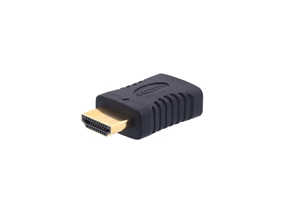 HDMI Port Saver - HDMI Female to Male
$6.64
HDMI Port Saver - HDMI Female to Male
$6.64
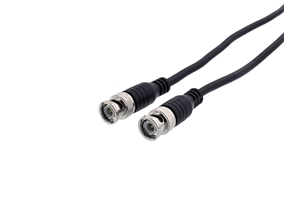 RG58 Coaxial Patch Cable - 10 FT, BNC, Black
$4.34
RG58 Coaxial Patch Cable - 10 FT, BNC, Black
$4.34
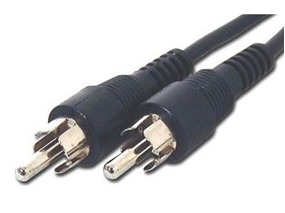 6 FT Shielded RCA Cable - M/M
$0.91
6 FT Shielded RCA Cable - M/M
$0.91